
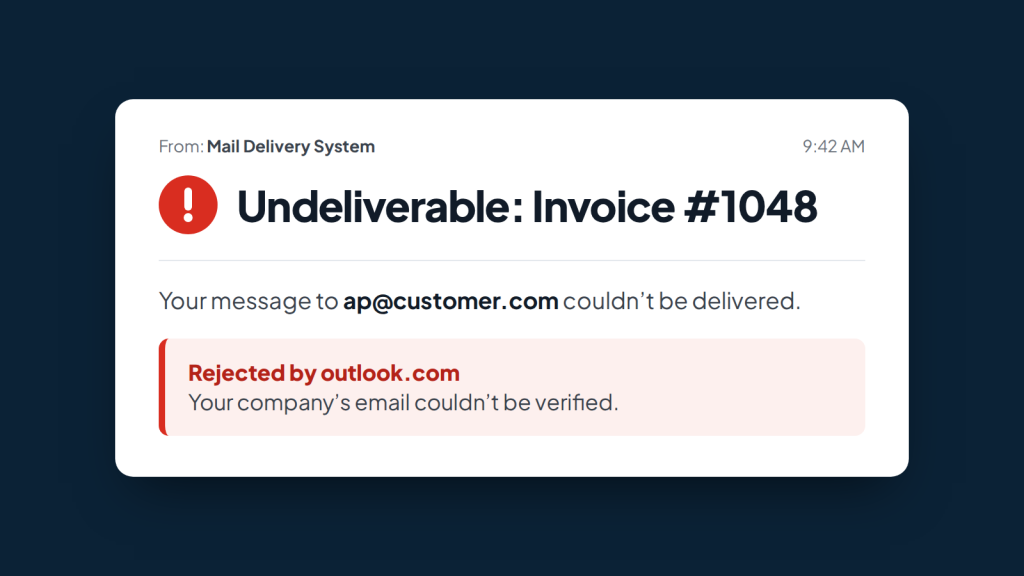
Google, Microsoft, and Yahoo have changed the rules for business email. Messages that can’t prove they really came from your company are now sent to spam or rejected outright. For a business, that can mean invoices, proposals, and customer updates that never arrive, and nobody notices until a customer asks where they are.
What changed
In 2024, Gmail and Yahoo began requiring businesses to verify their email with three settings called SPF, DKIM, and DMARC. Microsoft did the same for Outlook and Hotmail in 2025, and all three now reject mail that doesn’t pass. The strictest rules apply to companies sending 5,000 or more emails a day, but that count includes newsletters, invoices, and automated notices, and unverified mail from any company is more likely to be filtered.
What these settings do
Together they prove your email is really from you. They list which services are allowed to send email for your company, confirm messages weren’t altered, and tell other mail systems to block anyone pretending to be you.
That protection against impersonation is the part most companies are missing. Without it, a criminal can send an email that looks exactly like it came from your company and ask a customer to pay an invoice into a new bank account.
Why it needs ongoing monitoring
Setting this up once isn’t enough. Each time your team starts using a new tool that sends email, such as a marketing platform, scheduling app, or billing system, it has to be added correctly or its messages start failing. The email providers send daily reports showing what passed, what failed, and who tried to impersonate you, but someone has to read them and act.
Without monitoring, most companies stay on a “watch only” setting. It meets the providers’ minimum, but it doesn’t stop anyone from impersonating you.
It’s worth a check if:
- Customers have told you your emails landed in spam
- Invoices or quotes have gone unanswered
- You’ve added an email, marketing, or billing tool in the past year
- Nobody can say for certain whether your company’s email can be impersonated
How Kishmish helps
We set up SPF, DKIM, and DMARC correctly, monitor your reports, and fix problems as they come up. Then we move your company to full protection in stages, so legitimate email keeps flowing while impersonators are blocked.
Not sure where your company stands? Contact us and we’ll check your email setup and tell you what needs attention.
Or reach us at [email protected] or 315-478-8172.